


When Mobile Casino Claims Cannot Be Verified
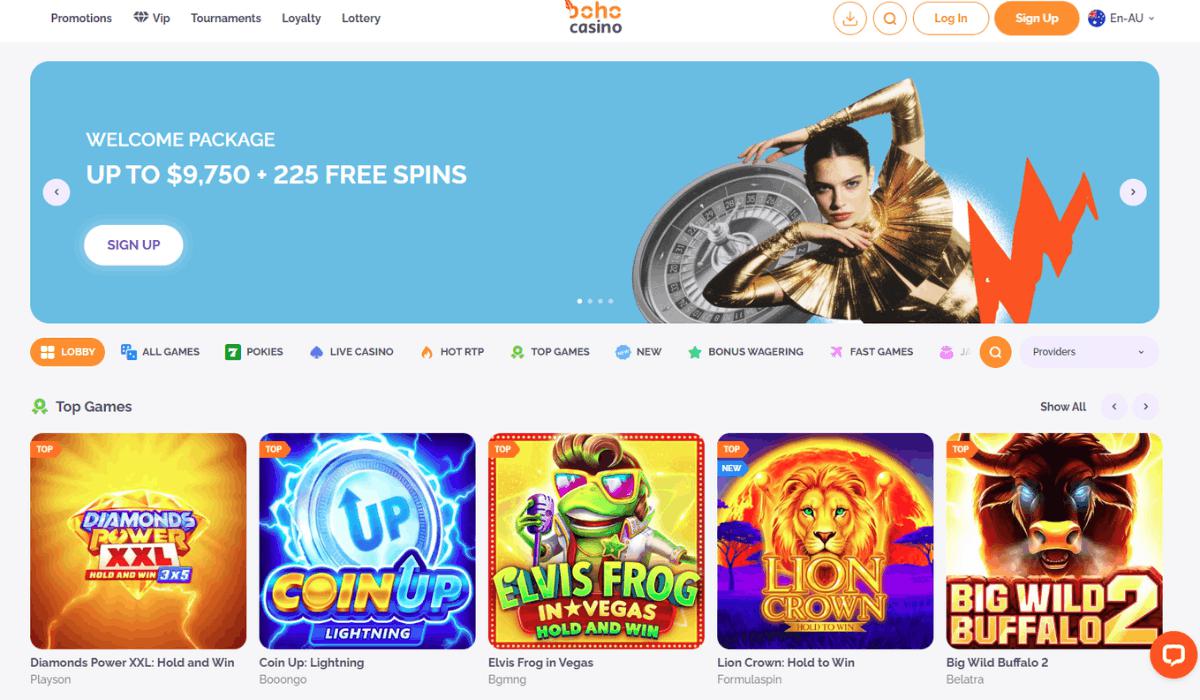
Mobile browsing makes it easy to move from a search result to a casino page in seconds, but a polished phone-friendly presentation does not prove that the operator, cashier or app is genuine. Readers comparing quickest withdrawal online casino options should first establish what they are actually visiting, especially when a name appears mainly on comparison pages. The safest approach is to separate confirmed information from general industry claims before creating an account or sharing personal details.
Why a fast-payout name is not enough on a phone
Search results can blur the difference between a casino operator and a website that compares or promotes several operators. A phrase associated with quick withdrawals may describe an editorial category, a marketing label or an affiliate destination rather than a standalone gambling platform. On a mobile screen, that distinction can be harder to notice because shortened addresses, compact menus and redirecting buttons conceal context.
Before treating a page as an actual casino, inspect its identity in a full browser view. Look for a clearly named operator, accessible terms and conditions, a privacy policy, customer-support details and a consistent domain. The same company name should appear across the footer, legal pages, registration screen and payment information. If clicking a call-to-action sends you to another domain, record that change rather than assuming both websites are the same business.
This matters particularly when the word “fast” is used as though it were a service guarantee. A marketing description cannot confirm instant withdrawals, Canadian-dollar support, Interac availability or a specific processing window. Those details belong to the individual operator and its published terms. If the page does not identify that operator clearly, there is no sound basis for attributing its payment claims, games, bonuses or account features to the name used in the search.
Use a simple mobile identity check before continuing

A phone is convenient for browsing, but its small display encourages rushed decisions. Open the website menu and locate the legal or company information before entering an email address. Check whether the terms name a legal entity, explain account restrictions and identify the jurisdiction responsible for the service. A generic contact form or a comparison page’s support address is not necessarily customer support for every casino it mentions.
Next, examine the address bar carefully. A secure connection is useful, but the padlock only indicates that the connection is encrypted; it does not establish that the operator is licensed, reputable or suitable for you. Watch for unusual spelling, multiple redirects and pages that ask for identity documents before explaining who will store them. Save or screenshot the relevant terms only after confirming that they apply to the same domain.
A practical mobile check can be completed in three stages:
- Identify the destination: note the final domain after every redirect and distinguish a comparison service from a casino account system.
- Check the operator: look for a named business, responsible contact details and terms that refer specifically to the service being offered.
- Pause at sensitive requests: do not upload identification, payment information or proof of address until the operator and purpose of collection are clear.
These steps do not prove that a site is safe, but they reduce the chance of confusing promotional content with verified operator information.
What a genuine mobile experience should explain
A responsive layout is only one part of a usable mobile experience. A properly identified service should explain how an account is created, what verification may involve and where users can find transaction records. It should also make important terms readable without forcing visitors through repeated pop-ups or hiding conditions behind tiny links. Convenience should not replace transparency.
Payment information deserves particular care. A trustworthy page should state which methods are available, whether fees or limits apply and whether processing involves the operator, a payment provider or both. It should avoid presenting broad industry examples as its own rules. References to cards, e-wallets, bank transfers or Interac e-Transfer are not confirmation that any particular operator supports them.
Mobile users should also consider account security. Use a unique password, avoid saving credentials on shared devices and keep the operating system and browser updated. The Canadian Centre for Cyber Security provides general guidance on protecting accounts and devices; that advice does not verify any casino, but it is relevant when personal and financial information is entered through a phone.
Finally, test whether essential information remains accessible in landscape mode and on a larger screen. If terms, withdrawal conditions or responsible-play controls disappear on mobile, switch devices before making a decision. A smooth interface may indicate thoughtful design, but it cannot substitute for an identifiable operator and clear documentation.
Redirects create a separate set of risks
Redirects are not automatically harmful. Comparison websites commonly send visitors to external operators, sometimes through tracking links. The important issue is whether that transition is obvious and whether the visitor can distinguish the referring website from the final casino. If a page changes domains without explanation, pause and review the new site as an entirely separate service.
Do not carry information from one destination to another. A withdrawal time, bonus rule, verification document list or mobile-app claim shown on a comparison page may belong only to the operator reached after the click. Even casinos listed beside one another can have different minimums, fees, account restrictions and payment procedures. Similar branding or a shared “fast payout” description does not combine their terms.
Before proceeding after a redirect, compare the final destination’s legal pages with the information in the original result. Ask whether the operator is named consistently, whether the terms are current and whether contact details relate to that operator. If the page provides no clear answer, leave without supplying documents. It is better to lose a convenient browsing session than to send sensitive information to an unidentified recipient.
Keep records of the exact domain and the page where each claim appeared. This is useful if a dispute later arises, because screenshots of a general comparison page may not establish what the final operator promised. Clear records also prevent confusion when several tabs, pop-ups or saved mobile shortcuts look similar.
Choose a slower decision when evidence is incomplete
Speed is attractive when browsing on a phone, but incomplete information is a reason to slow down rather than a reason to trust a brand name. If no standalone registration flow, verified cashier, operator identity or mobile platform can be confirmed, treat the service as an information lead only. Do not assume that a name implies an app, account system, game catalogue or withdrawal facility.
Use a short decision rule: proceed only when the final destination is identifiable, its terms apply to that destination and the payment and verification conditions are understandable. If one of those points is missing, continue researching independently or stop. Never let a countdown, welcome message or repeated prompt create urgency around an account decision.
Canadian users should also avoid assuming that a page is available or appropriate simply because it mentions Canada. Geographic wording does not confirm provincial availability, licensing, currency support or payment access. Those matters must be stated by the relevant operator and assessed against current local requirements. If the site’s status cannot be established, avoid deposits, document uploads and installing unverified mobile software.
Mobile browsing is most useful when it supports careful comparison rather than instant action. Read the terms on a larger screen when possible, use official app stores only for confirmed applications and keep personal information private until the business behind the page is clear. A genuine fast-payout experience should be demonstrated through transparent, operator-specific information—not inferred from a slogan or a quick redirect.
Mobile verification questions
Can a mobile-friendly page prove that a casino is legitimate?
No. Responsive design and secure browsing are helpful but do not establish ownership, licensing, payment support or reliability. Verify the final domain, named operator, applicable terms and contact information separately. If those details are missing or inconsistent, treat the page as unverified regardless of how polished it appears on a phone.
Should I upload identification after following a redirect?
Only after confirming the final operator and understanding why the documents are required. A comparison page or affiliate destination may not handle the account itself. Check the receiving domain, privacy terms and verification explanation first. If the business identity is unclear, do not upload identification or proof of address.
Does “fast cashout” confirm a particular withdrawal time?
No. Promotional wording does not establish a processing window, fee, limit or payment method. Withdrawal speed can depend on the operator, payment provider, verification status and transaction route. Look for operator-specific terms that explain these conditions. If no such information is available, assume the timing is unconfirmed.